How Amazon Sellers Manage FBA Labels, Shipments, and Inventory
How Amazon Sellers Manage FBA Labels, Shipments, and Inventory.png
Every Amazon FBA shipment comes with strict requirements: correct FNSKU labels, an approved shipment plan, and inventory counts that match what Amazon receives. Miss any one of these, and a shipment can be delayed, relabeled at your cost, or rejected outright.
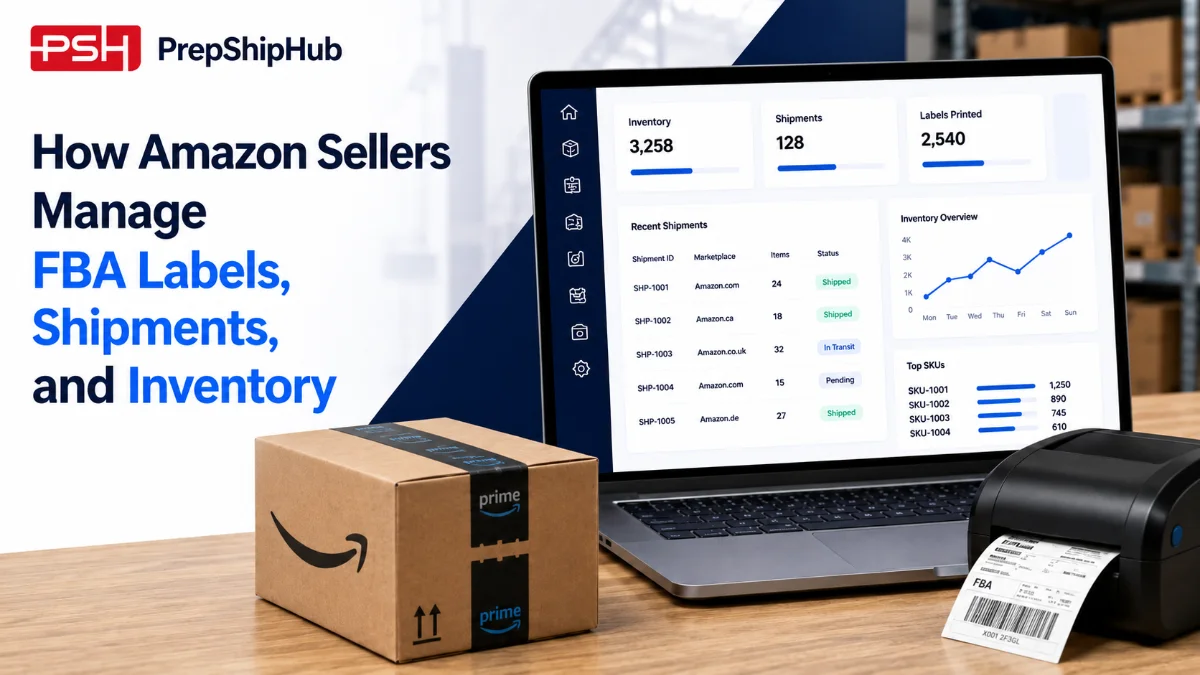
As sellers add more SKUs and ship more often, tracking these requirements by hand becomes hard to sustain. Amazon FBA prep software brings labeling, shipment tracking, and inventory management into one connected operations platform, so sellers spend less time checking compliance manually and more time growing their catalog. This guide covers what Amazon FBA prep software does and how to choose one.
What is Amazon FBA prep software?
Amazon FBA prep software is a system built to help sellers, and the prep centers that support them, manage the operational side of selling through Fulfillment by Amazon. Instead of manually checking labeling rules, building shipment plans in spreadsheets, and reconciling inventory counts by hand, the software handles these tasks in one connected workflow. It also gives sellers a clearer view of which SKUs are compliant and ready to ship versus which ones still need attention before a shipment plan can be submitted.
For sellers running a handful of SKUs, these tasks are manageable without help. Once a catalog grows past a few dozen SKUs, or a seller starts shipping weekly instead of monthly, Amazon prep software becomes less optional and more of an operational requirement. A single missed label or shipment error can hold up an entire inbound shipment.
According to Statista, third-party sellers accounted for 61% of paid units sold on Amazon in the fourth quarter of 2024. At that scale, a single labeling mistake or missed shipment window can affect meaningful revenue, which is one reason independent sellers increasingly rely on software to keep labeling, shipments, and inventory consistent. Source: Statista
Managing FBA labeling requirements
Labeling is where most first-time FBA shipments go wrong. Amazon FBA shipment software reduces this risk by generating labels from verified product data instead of relying on a team member to copy codes by hand for every carton.
FNSKU and barcode labeling
Every unit sent to an Amazon fulfillment center needs the correct FNSKU or manufacturer barcode, applied in the right place and readable by Amazon's scanners. Amazon FBA shipment software generates and prints these labels directly from your product catalog, which reduces the chance of applying the wrong code to the wrong SKU.
Avoiding common labeling errors that trigger Amazon rejections
Mislabeled units are one of the most common reasons shipments get flagged at an Amazon fulfillment center. Amazon prep center software can flag missing labels, duplicate barcodes, or mismatched product identifiers before a shipment leaves the warehouse, rather than after Amazon rejects it.
Managing shipments to Amazon fulfillment centers
A shipment plan that looks correct on screen can still fail at check-in if box counts, weights, or carrier details do not match what Amazon expects. Amazon FBA shipping software checks these details against Amazon's requirements before a shipment is confirmed, catching mismatches while they are still easy to fix.
Creating and tracking inbound shipment plans
Amazon assigns each shipment plan to specific fulfillment centers, often splitting one order across several locations. Amazon FBA shipping software builds these shipment plans automatically and tracks each box from pickup to check-in, so sellers know exactly where inventory stands at any point.
Handling split and multi-channel shipments
Sellers who also fulfill orders through Walmart WFS, Shopify, or their own warehouse need shipment workflows that account for more than just Amazon. Amazon prep software built for multi-channel selling handles split shipments and routes inventory to the right channel without manual sorting.
Managing inventory across Amazon and beyond
Inventory problems rarely show up as a single dramatic event. More often, small counting errors build up over weeks until a bestseller goes out of stock or a warehouse ends up holding units nobody accounted for. Keeping inventory data accurate as it changes matters more than any single count.
Real-time inventory sync with Seller Central
Inventory levels in Seller Central need to match what is physically on the shelf, or sellers risk overselling units they do not have. Amazon FBA inventory management software syncs stock counts automatically, so listings update the moment inventory moves.
Preventing stockouts and overstock
Running out of stock on a fast-selling ASIN costs sellers both sales and search ranking, while overstock ties up capital in storage fees. Real-time visibility into inventory age, sell-through rate, and reorder points helps sellers time replenishment before either problem happens.
How to choose the right Amazon FBA prep software
A seller shipping 200 units a week across 15 SKUs can lose several hours every week manually building shipment plans and double-checking labels before a truck pickup. Centralizing labeling, shipment creation, and inventory sync in one system turns that weekly prep work into a process a team can finish in a fraction of the time.
What to check | Why it matters |
|---|---|
FNSKU and barcode automation | Reduces mislabeling and Amazon rejections |
Shipment plan creation | Builds and tracks Amazon shipment plans automatically |
Seller Central sync | Keeps inventory counts accurate in real time |
Multi-channel support | Handles Walmart, Shopify, and other channels alongside Amazon |
Reporting | Shows sell-through, aging, and reorder data |
Sellers comparing Amazon prep center software for the first time should prioritize labeling accuracy and shipment tracking first, since these two functions cause the most delays when handled manually. Reporting and multi-channel support tend to matter more once a seller has already stabilized their core Amazon workflow and is looking to expand into other marketplaces.
Conclusion
Amazon FBA prep software delivers the most value when it replaces manual labeling checks, spreadsheet-built shipment plans, and disconnected inventory counts with one connected system. As more sellers compete for the same fulfillment center capacity, those who keep labeling, shipments, and inventory accurate by default are better positioned to scale without adding headcount for compliance work. The goal is not to remove sellers from the process entirely, but to catch the small, avoidable errors before they turn into rejected shipments or lost sales.
Reviewed by the PrepShipHub operations team, drawing on direct experience managing Amazon FBA prep, shipment, and inventory workflows.
If you are ready to see how this looks for your own catalog, explore PrepShipHub's Amazon FBA prep software.
Frequently asked questions
What does Amazon FBA prep software do?
It centralizes FNSKU and barcode labeling, shipment plan creation and tracking, and inventory sync with Seller Central into one system, replacing manual label checks and spreadsheet-built shipment plans.
Does Amazon FBA prep software integrate with Amazon Seller Central?
Yes. Most Amazon FBA prep software connects directly with Seller Central to sync inventory counts, pull shipment plan data, and generate compliant FNSKU labels automatically.
Can Amazon FBA prep software manage inventory across multiple channels?
Many platforms built for this market, including Amazon FBA inventory management software, also support Walmart WFS, Shopify, and other channels, so sellers can manage all their inventory from one dashboard.
Related articles
Best FBA Prep Center Software: Top PrepBusiness Alternatives for 2027
This guide breaks down where PrepBusiness still performs well, where operators tend to outgrow it, and which alternatives are worth evaluating before you commit to a new platform.
 ·Sep 17, 2026·6 min
How Fulfillment Software for eCommerce Helps 3PLs Manage Multiple Clients
Running a third-party logistics operation means managing dozens of separate businesses under one roof. Each client has their own inventory, billing terms, reporting expectations, and shipments moving through the warehouse every day.
·Aug 28, 2026·7 minEcommerce Order Fulfillment Software vs. Manual Processes: The Real Cost Comparison
This comparison puts real numbers against both sides. Using published cost-per-order and error-rate data, it shows where ecommerce order fulfillment software actually pays for itself. It also shows how quickly, once you account for the costs manual processes quietly rack up.
·Aug 20, 2026·6 min